SSC CHSL Tier 2 Answer Key 2026 Released – Check & Raise Objection Now
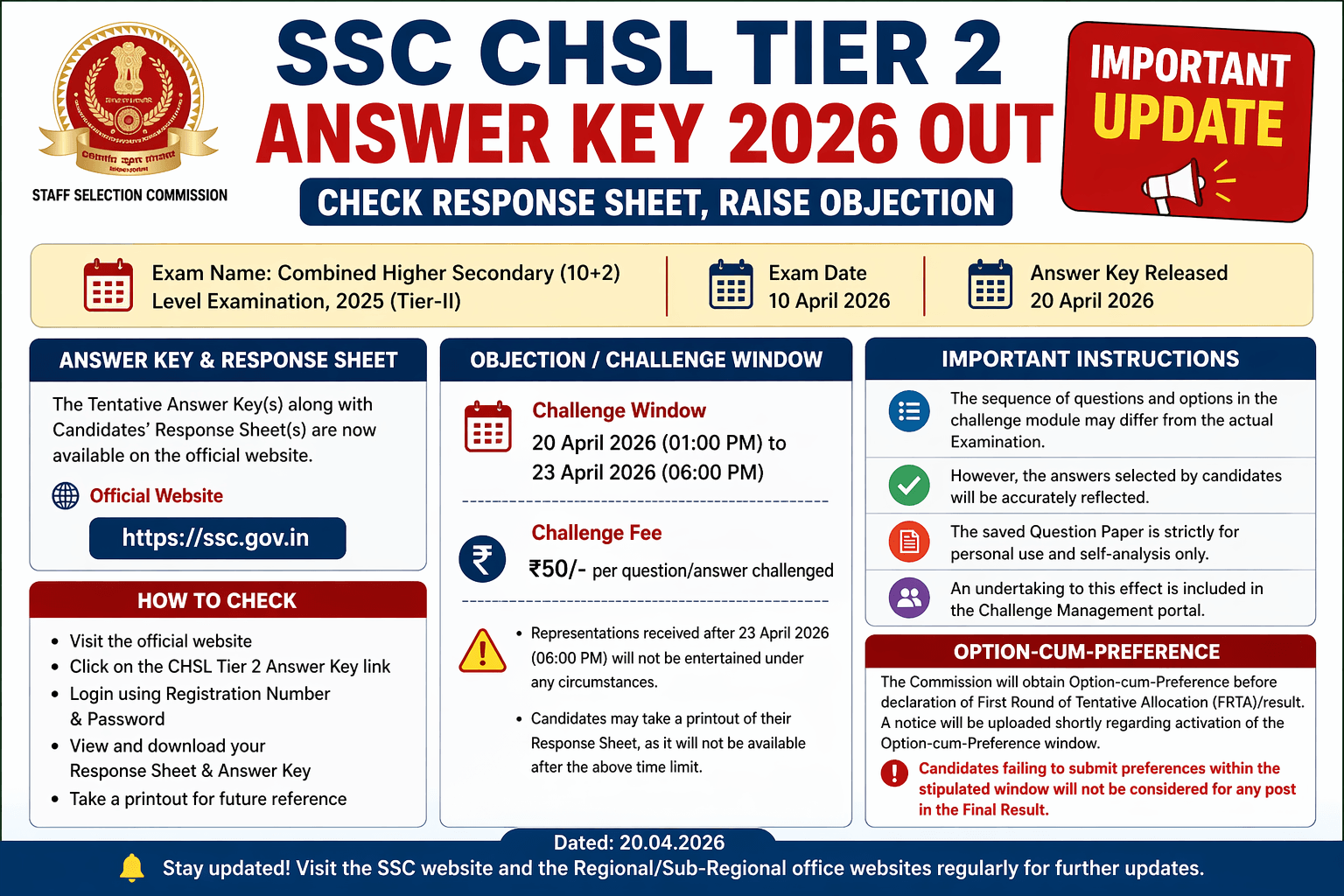
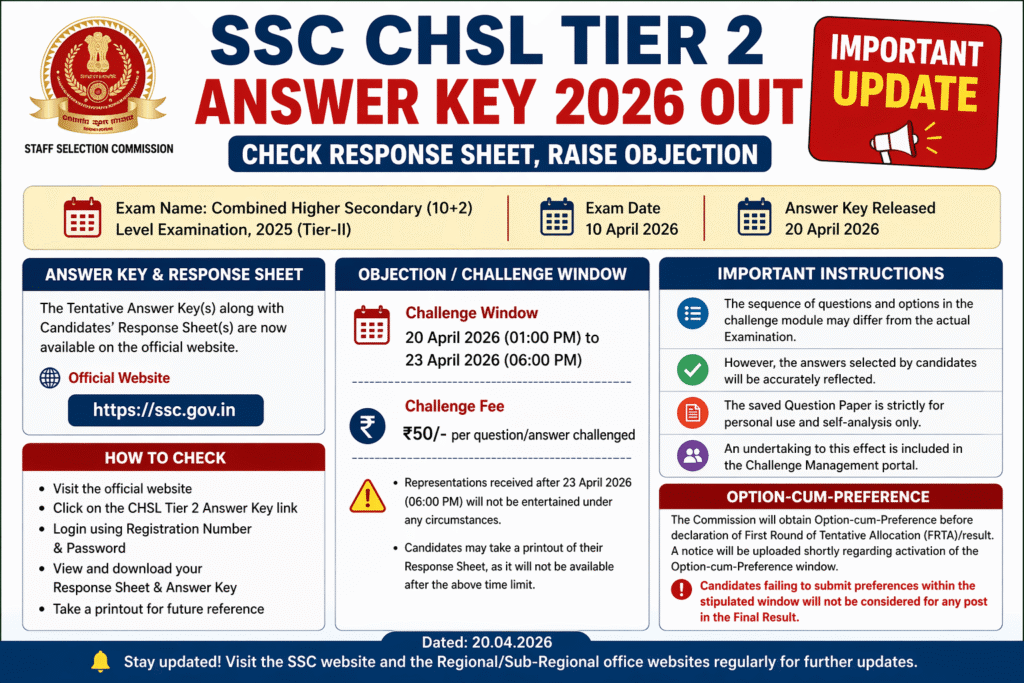
The Staff Selection Commission has officially released the SSC CHSL Tier 2 Answer Key 2026 along with candidates’ response sheets. Candidates who appeared in the Combined Higher Secondary (10+2) Level Examination 2025 (Tier-II) held on 10 April 2026 can now check their answers and calculate their expected scores.
The answer key is tentative, meaning candidates have the opportunity to raise objections if they find discrepancies.
Get direct exam notifications, admit cards, and PDF updates delivered daily.
Important Dates
- Exam Date (Tier 2): 10 April 2026
- Answer Key Release Date: 20 April 2026
- Objection Window Start: 20 April 2026 (01:00 PM)
- Objection Window Last Date: 23 April 2026 (06:00 PM)
⚠️ After the deadline, no challenges will be accepted under any circumstances.
How to Check SSC CHSL Answer Key 2026
Candidates can access their response sheet and answer key through the official SSC website:
👉 Visit: https://ssc.gov.in
Steps to Check:
- Go to the official SSC website
- Click on the CHSL Tier 2 Answer Key link
- Login using Registration Number & Password
- View your Response Sheet + Answer Key
- Download or print for future reference
Step-by-Step: Where & How to Access Your Actual Data
From Staff Selection Commission website
STEP 1: Open Official Website
👉 Go to: https://ssc.gov.in
- Always use official site only
- Don’t trust random links
STEP 2: Find the Answer Key Notice
On homepage:
- Look for “Latest News / Notices”
- Find this exact line (or similar):
👉 “Uploading of Tentative Answer Key(s) along with Candidates’ Response Sheet(s) of CHSL 2025 Tier-II”
✔ Click on it
STEP 3: Click on Login Link Inside Notice
After opening notice:
- Scroll down
- You will see a clickable link
👉 Usually written like:
- “Link for Candidate’s Response Sheet & Answer Key”
✔ Click that link
STEP 4: Login Carefully
Now login page will open
Enter:
- Registration Number
- Password
- Captcha (if asked)
👉 Then click Login
⚠️ Common mistake:
- Using wrong password → reset if needed
STEP 5: Access Your Dashboard
After login, you will see options like:
🔹 Response Sheet
- Your answers (what YOU marked)
🔹 Answer Key
- Correct answers (SSC official)
🔹 Challenge Option
- Raise objection
STEP 6: Open Response Sheet
Click:
👉 “View Response Sheet”
You will see:
- Question number
- Your selected option
- Status (attempted/unattempted)
STEP 7: Open Answer Key
Click:
👉 “View Answer Key”
You will see:
- Correct answer for each question
STEP 8: Understand Question Order Difference
⚠️ Don’t panic here:
- Questions order may look different
- Options sequence may change
👉 This is NORMAL (SSC already mentioned)
✔ Your answers are still correct internally
STEP 9: Match Answers (Most Important Step)
Now:
- Compare your response vs correct answer
Create rough calculation:
✔ Correct → add marks
❌ Wrong → apply negative marking (if applicable)
STEP 10: Download Immediately
👉 VERY IMPORTANT
- Click Download / Print
- Save PDF
⚠️ After 23 April 2026 (6 PM)
➡️ It will NOT be available
STEP 11: Raise Objection (If Needed)
If any answer seems wrong:
- Click Challenge / Objection
- Select question
- Add justification
- Pay ₹50 per question
- Submit
Final Checklist (No Mistakes)
✔ Logged in successfully
✔ Viewed response sheet
✔ Checked answer key
✔ Downloaded copy
✔ Raised objection (if needed)
Pro Tip (Very Important)
Do this in one sitting:
- Login
- Download
- Calculate marks
- Submit objections
👉 Don’t delay — deadline is strict
How to Submit Objection – SSC CHSL Tier 2 Answer Key 2026
Through Staff Selection Commission portal
Before You Start (Important)
✔ Objection window:
20 April 2026 (1 PM) → 23 April 2026 (6 PM)
✔ Fee: ₹50 per question
✔ Mode: Online only
STEP 1: Login to SSC Portal
👉 Go to: https://ssc.gov.in
- Click Answer Key notice
- Open response sheet link
- Login using:
- Registration Number
- Password
STEP 2: Open Challenge Module
After login, look for:
👉 “Challenge / Submit Representation”
✔ Click on it
STEP 3: Select Question to Challenge
Now you will see:
- List of all questions
- Your answer
- Correct answer
👉 Select the question you want to challenge
✔ Tick/mark that question
STEP 4: Choose Correct Option (Your Claim)
For selected question:
👉 You must select:
- The option you believe is correct
⚠️ Don’t just say “wrong” — you must specify correct answer
STEP 5: Add Justification (VERY IMPORTANT)
You will get a text box:
👉 Write proper explanation like:
- Reference from book
- Rule / concept
- Formula (if applicable)
✔ Keep it clear and to the point
💡 Strong justification = higher chance of acceptance
STEP 6: Submit Challenge
- Click Submit / Add to Cart
- Repeat for multiple questions (if needed)
STEP 7: Pay Fee
👉 Go to payment section
- ₹50 per question
- Pay via:
- UPI
- Debit/Credit card
- Net banking
✔ Complete payment
STEP 8: Final Submission
After payment:
✔ Click Final Submit
👉 You will get confirmation
Common Mistakes (Avoid These)
❌ Not selecting correct alternative option
❌ Writing weak justification
❌ Forgetting payment
❌ Waiting till last minute (site may lag)
💡 Important Notes
- No offline objection allowed
- No refund of fee
- Late submission = rejected automatically
🔥 Pro Strategy
Don’t blindly challenge everything.
👉 Only challenge when:
- You are 100% sure answer is wrong
- You have valid proof
🎯 Reality Check
Even 1 correct challenge can:
➡️ Increase your score
➡️ Improve selection chances
Important Instructions for Candidates
- The sequence of questions and options may differ in the challenge module compared to the actual exam.
- This happens because SSC standardizes the sequence in the objection system.
- However, your selected answers are accurately recorded and displayed.
SSC CHSL Answer Key Objection Fee
- Fee: ₹50 per question/answer challenged
- Mode: Online payment only
Candidates must carefully review answers before submitting objections, as fees are non-refundable.
Key Guidelines for Raising Objections
- Objections must be submitted online only
- No offline or late submissions will be accepted
- Ensure proper justification while challenging answers
- Submit before 23 April 2026 (6 PM)
Response Sheet Download – Important Note
Candidates are strongly advised to:
✔ Download and print their response sheet
✔ Save it for future reference
🚫 SSC will not provide access after the deadline
Usage Restriction of Question Paper
- The question paper is strictly for personal use and self-analysis
- Candidates must agree to this condition while accessing the portal
Option-cum-Preference Submission (Very Important)
SSC has announced that candidates will soon be required to submit their:
👉 Post Preferences (Option-cum-Preference Form)
Important Rule:
❌ If you fail to submit preferences within the given time
➡️ You will NOT be considered for final selection
A separate notification will be released for this process.
What Happens Next?
After the objection window closes:
- SSC will review all challenges
- Final answer key will be prepared
- Result and First Round of Tentative Allocation (FRTA) will be released
FAQs – SSC CHSL Answer Key 2026
Q1. Is SSC CHSL Tier 2 Answer Key 2026 released?
Yes, it was released on 20 April 2026.
Q2. What is the last date to raise objections?
The last date is 23 April 2026 (6 PM).
Q3. What is the objection fee?
₹50 per question.
Q4. Can I download my response sheet later?
No, it will not be available after the deadline.
Q5. Is the answer key final?
No, it is tentative. Final answer key will be released after reviewing objections.
Final Advice
- Check your answer key immediately
- Raise objections (if any) before deadline
- Keep your response sheet safe
- Stay updated for preference submission notice
🚀 Get Govt Job Alerts Before Everyone Else (Join Now)
Don’t Miss These High Paying Govt Jobs
- UPESSC PGT Recruitment 2026: 2,607 Vacancies, Apply Online
- UPESSC Assistant Teacher Recruitment 2026: 12,405 Vacancies – Apply Online
- CPRI Recruitment 2026: 110 Vacancies – Check Eligibility, Salary & Apply Online
- UKSSSC Scaler Group C Recruitment 2026 – 200 Posts, Apply Online
- APPSC Group 1 Recruitment 2026: 163 Vacancies, Apply Online
- APPSC Recruitment 2026: 892 Vacancies Announced – Group 1, ASO, Forest & More
- NHM Tamil Nadu Staff Nurse Recruitment 2026: 4,724 Vacancies, Apply by September 25
- UKSSSC Personal Assistant Recruitment 2026: 101 Vacancies, Salary Up to ₹1.42 Lakh
- ISRO SAC Recruitment 2026: 47 JRF, Research Associate & Project Scientist Posts | Apply Online
- SSC CPO Recruitment 2026: 1,871 Sub-Inspector Vacancies, Apply Online